
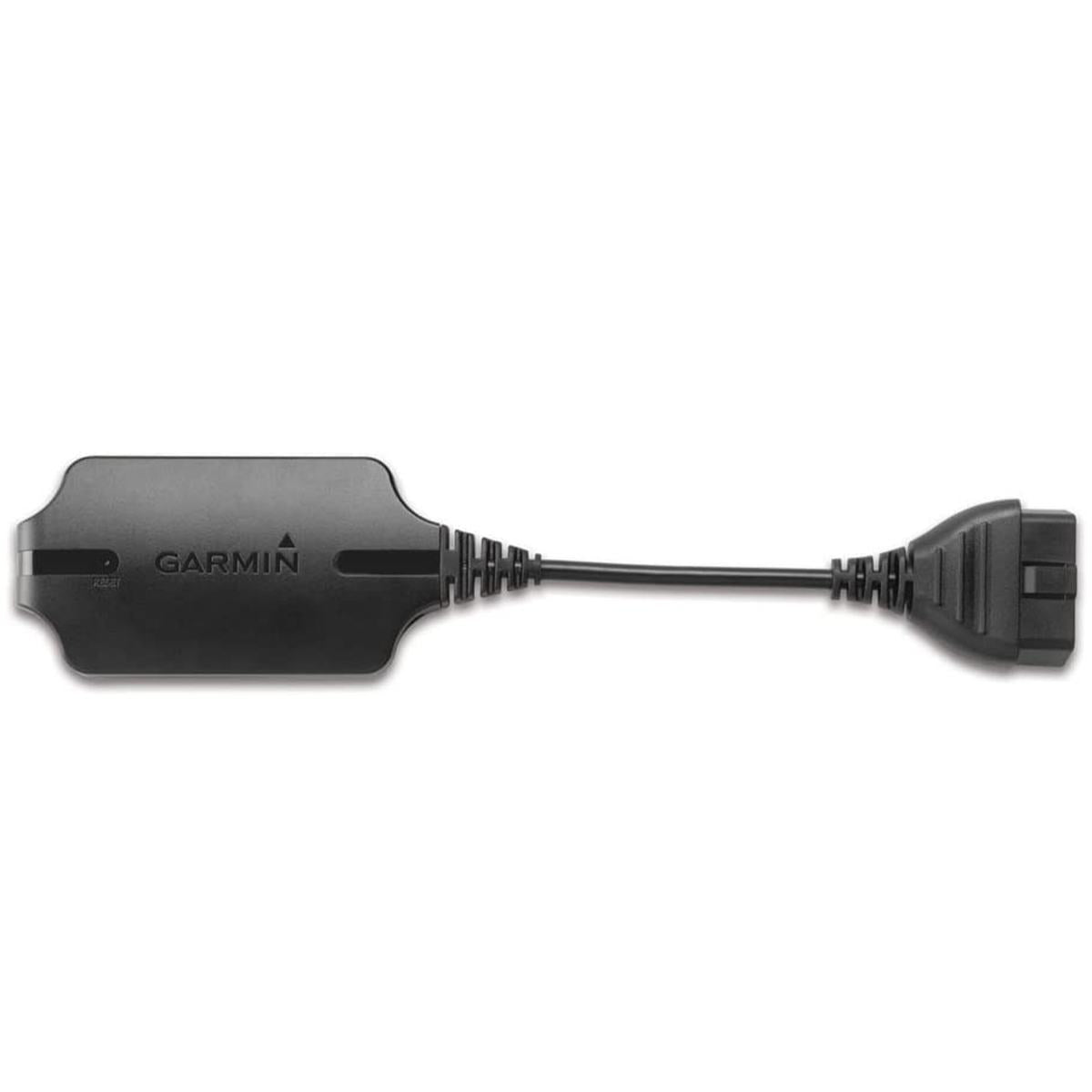
Garmin Ecoroute Hd Vehicle Diagnostic Communicator Hd, Black
- Estimated Delivery : Up to 4 business days
- Free Shipping & Returns : On all orders over AED 200
Description
Garmin’s ecoRoute HD transforms your nuvi into a real-time onboard diagnostics computer saving you gas, time, and money.
Get Real-Time Diagnostics
Transform your compatible nuvi into a real-time diagnostic computer with ecoRoute HD. This easy-to-install device not only provides fuel and mileage reports, but you get more accurate fuel consumption/conservation data by tapping into your vehicle’s diagnostic system. Calculate your carbon footprint, engine performance, and more all through your nuvi.
Save Gas…and a Trip to the Mechanic
With ecoRoute HD, you not only save fuel, but the vehicle diagnosing capabilities could also save a trip to the mechanic. After completing a simple setup, you can use your nuvi to run diagnostic testing on vehicle systems, such as the battery and drive train, and you can monitor engine data, including temperature and emissions. You’ll also receive diagnostic trouble codes and be able to reset your check engine light.
How It Works
By accessing onboard diagnostics and performance data through ecoRoute HD, drivers can use a compatible nuvi to wirelessly monitor real-time vehicle diagnostics while accurately calculating ecoRoute data and driver challenge scores (speed, acceleration, braking, etc.).
By simply plugging the ecoRoute HD module into the vehicle’s standardized onboard diagnostics port (OBD II), safely mounting the transmitter clear of vehicle controls and pedals, and completing the easy one-time pairing with nuvi, drivers can start receiving the vital data from their vehicle and run diagnostic checks through nuvi’s intuitive interface before a trip to the auto shop is necessary. Drivers also get more accurate ecoRoute data, making fuel conservation easier than ever, and they can monitor their engine data (including temperature, RPM, emissions) and diagnostics through the trip computer screen and customizable gauges screen.
Key Features
- Simple installation that takes an average of five minutes
- Accurate fuel consumption and carbon footprint
- Real time engine and emissions data – RPM, coolant temp, air flow, fuel flow, air pressure, and more
- Reads Diagnostic Trouble Codes (DTC) – allows you to view over 4000 trouble codes.
-
Product Compatibility
- Compatible with the following Garmin models
-
- dezl 560LMT
- dez 760LMT
- Garmin fleet 590
- Garmin Mechanic
- nuLink 1690 LIVE
- nuLink 1695 LIVE
- nuvi 1260T
- nuvi 1370T
- nuvi 1390LMT
- nuvi 1390T
- nuvi 1490LMT
- nuvi 1490T
- nuvi 2360LMT
- nuvi 2360LT
- nuvi 2370LT
- nuvi 2460LMT
- nuvi 2460LT
- nuvi 2475LT
- nuvi 2495LMT
- nuvi 2497LMT
- nuvi 2577LT
- nuvi 2595LMT
- nuvi 2597LMT
- nuvi 2598LMTHD
- nuvi 2797LMT
- nuvi 2798LMT with Backup Camera
- nuvi 3490LMT
- nuvi 3590LMT
- nuvi 3597LMTHD
- nuvi 3760LMT
- nuvi 3760T
- nuvi 3790LMT
- nuvi 3790T
- nuvi 465T
- RV 760LMT RV 760LMT with Wireless Backup Camera
- ecoRoute HD is compatible on all cars and light trucks made after 1996
- Free Garmin Mechanic app through the Amazon Appstore
-
How to install ecoRoute HD
- 1.Download the appropriate version of WebUpdater software to your computer.
- 2.FConnect your compatible device to your computer.
- F3.Launch WebUpdater.
- F4.Update the software on your device.
- F5.Check for additional updates, and select all ecoRoute HD options from the list.
- F6.Select Finish.
- F7.To complete the setup, follow the ecoRoute HD instructions included in the box with the ecoRoute HD accessory.
-
- Compatible with the following Garmin models
-
Product Compatibility
Related products
-


-


BABYZEN YOYO Bag Olive
473.69 -


-


-


-


BABYZEN YOYO Bag Ginger
473.69
